Terms, reporting and copyright
Every Yoshuko legal document lives at /legal/. This page shows you where things are and how the forms work. Anyone can read the documents and send a report or complaint — you don't need an account.
This page is a guide, not the documents
The summaries here only help you find your way. What applies is the wording of the documents themselves. If you're not sure what a document means for you, take legal advice.
Find a document
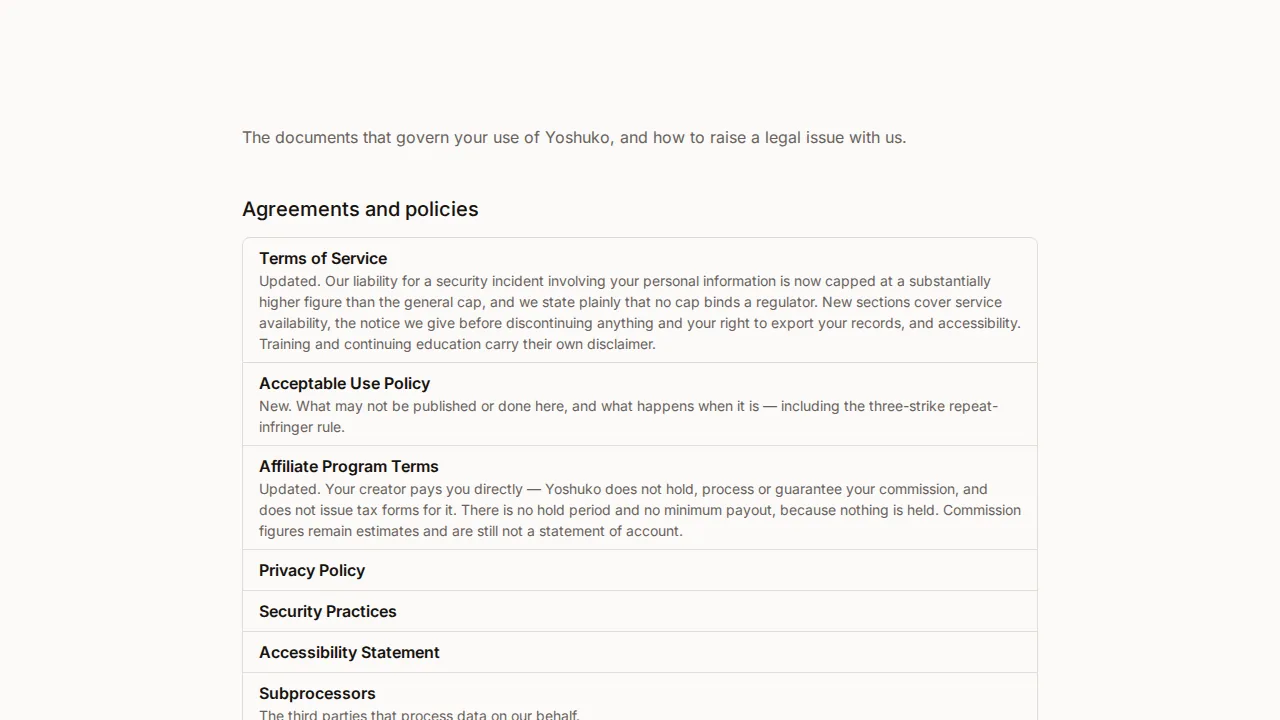
The legal index lists every agreement and policy, including:
- Terms of Service
- Acceptable Use Policy — what may not be published or done on Yoshuko
- Privacy Policy
- Refund and Cancellation Policy
- Security Practices
- Accessibility Statement
- Affiliate Program Terms
- Subprocessors — the third parties that process data on Yoshuko's behalf
- Cookie Policy — what is set, and how to change your choice
Under Raise an issue, the same page has File a copyright complaint and Report content or conduct.
Contact details for legal matters
At the bottom of the legal index, How to reach us lists the email addresses for general legal enquiries, copyright, reports and privacy requests, together with how to give formal notice — by post or by email.
Agree to updated terms
When the terms change, Yoshuko asks you to read what changed and agree. In the creator studio you may first see a notice saying We have updated our … with a Review and agree button.
-
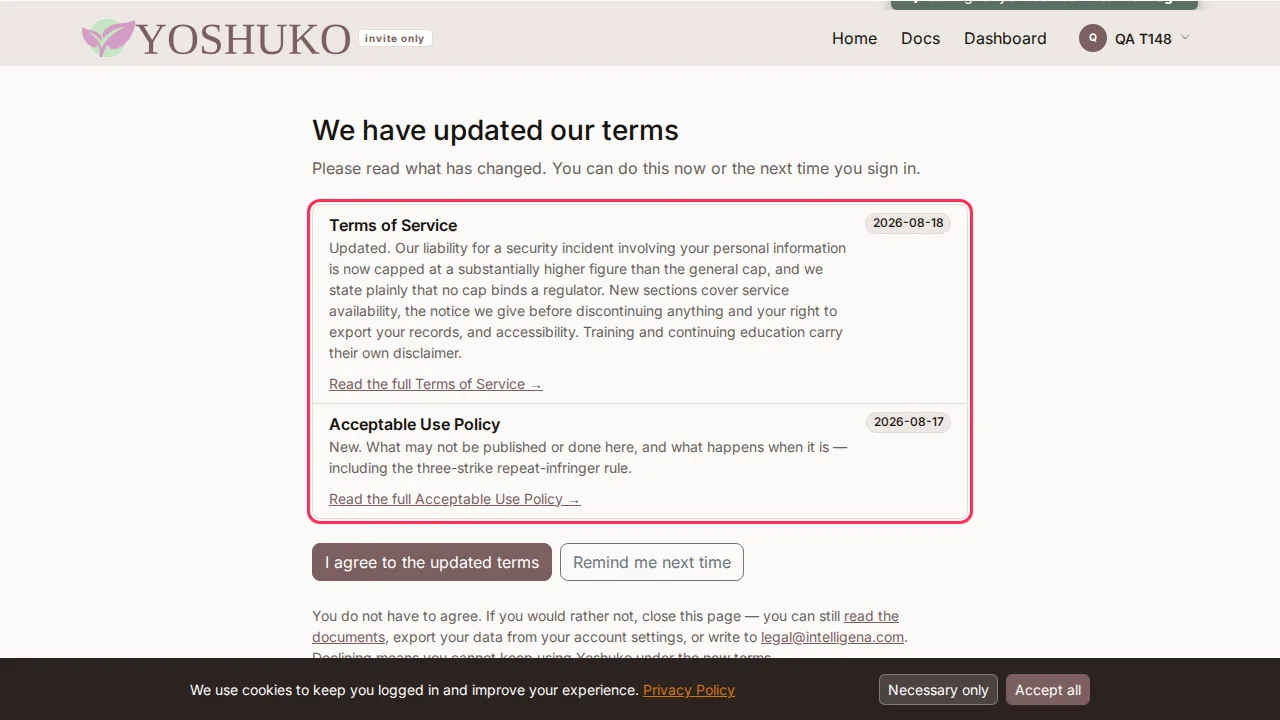
On We have updated our terms, read what has changed. Each item links to the full document.
-
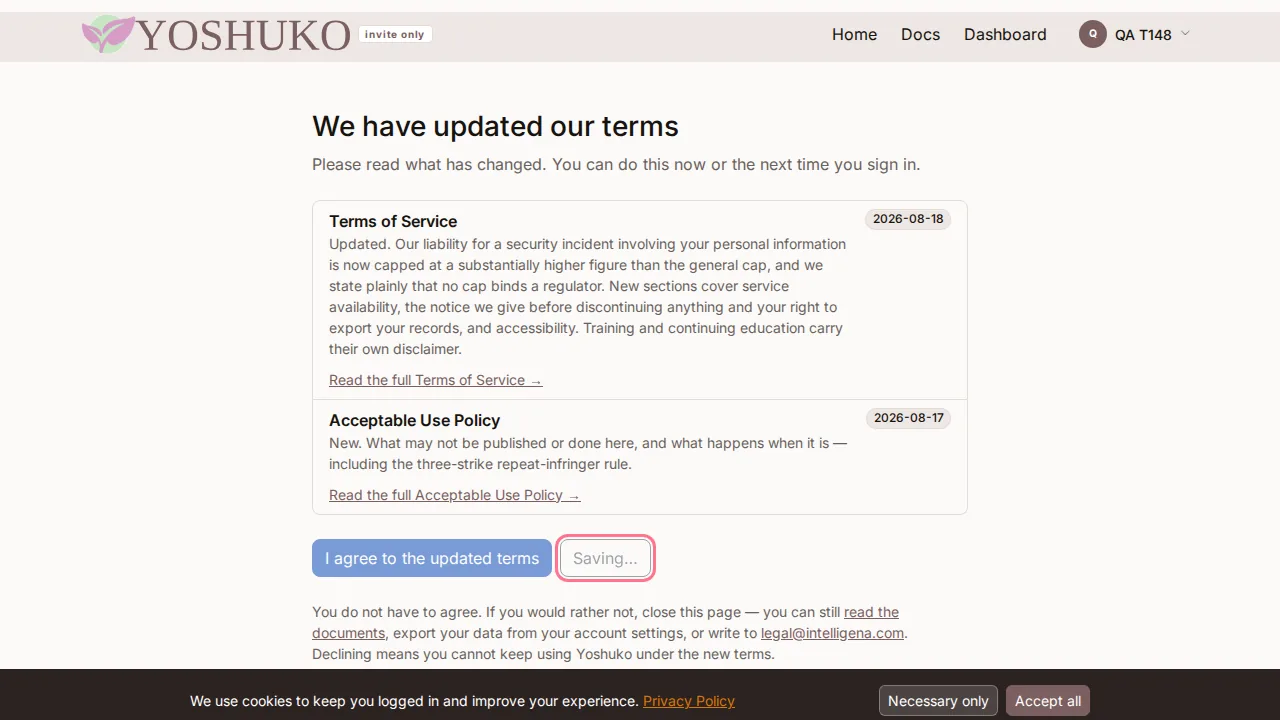
Press I agree to the updated terms. You carry on where you were.
Not ready yet? Press Remind me next time. You can put it off once for each update. The next time, you are asked to read the changes before you continue, and the reminder button is no longer offered.
If you don't want to agree
You do not have to. Close the page. You can still read the documents, export your data from your account settings (see profile, email and your data), or write to the legal address on the page. Declining means you cannot keep using Yoshuko under the new terms.
Report content or conduct
Use this for trademark, privacy or right-of-publicity claims, defamation, harassment, or anything that breaks the Acceptable Use Policy.
- On the legal index, press Report content or conduct.
-
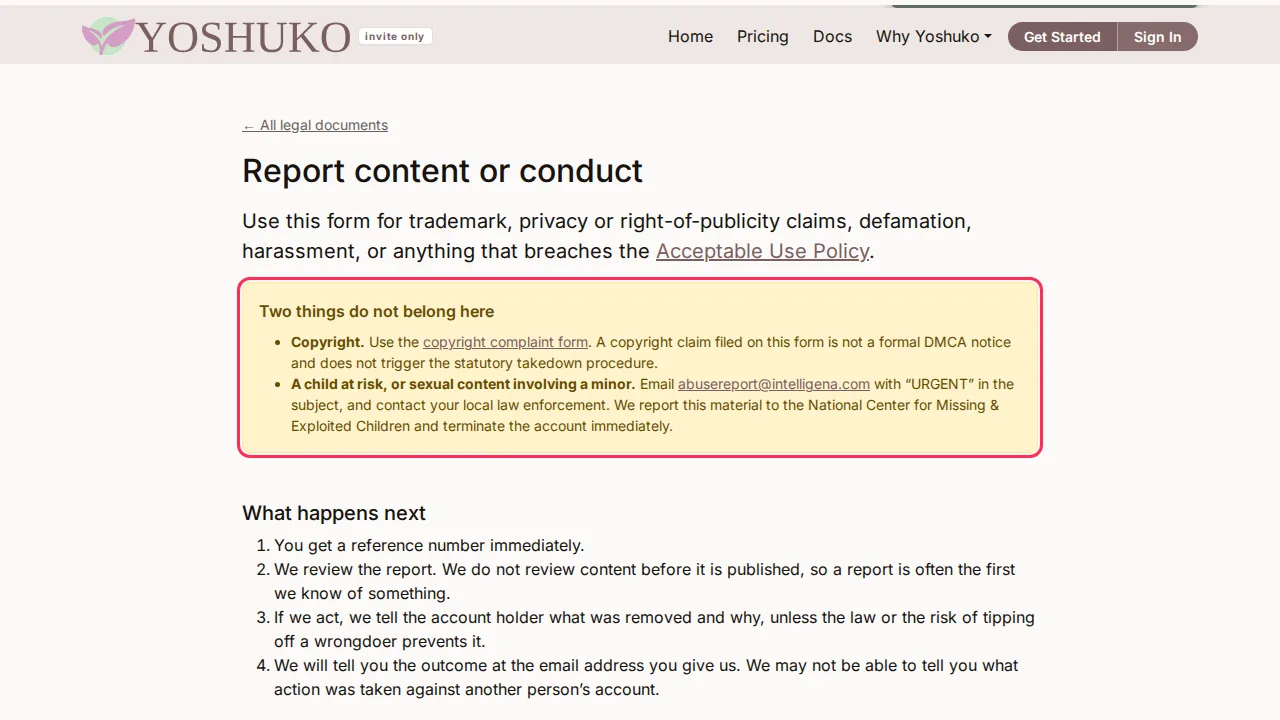
Read Two things do not belong here:
- Copyright goes on the copyright complaint form (see below). A copyright claim on the report form is not a formal DMCA notice.
- A child at risk, or sexual content involving a minor: email the address on the page with URGENT in the subject, and contact your local law enforcement.
-
Fill in the form:
- What is this about? — choose the kind of problem.
- You are — I own the rights in the work or I am authorised to act for the rights owner.
- Your full legal name and Email address. You can also add a telephone number, postal address and company.
- Where the material is on this site — one full web address per line. At least one is needed; we can only act on material we can find.
- Anything else we should know (optional).
- Tick both statements, and Type your full name as your electronic signature.
- Press Submit this report.
On the next page you get Your reference. Write it down: it is not emailed to you, and that page is the only place it appears. Quote it in anything you send about this report. The report page explains what happens next, including that you'll hear the outcome at the email address you gave.
Send a copyright complaint (DMCA)
Use this if someone has published work you hold the rights in.
-
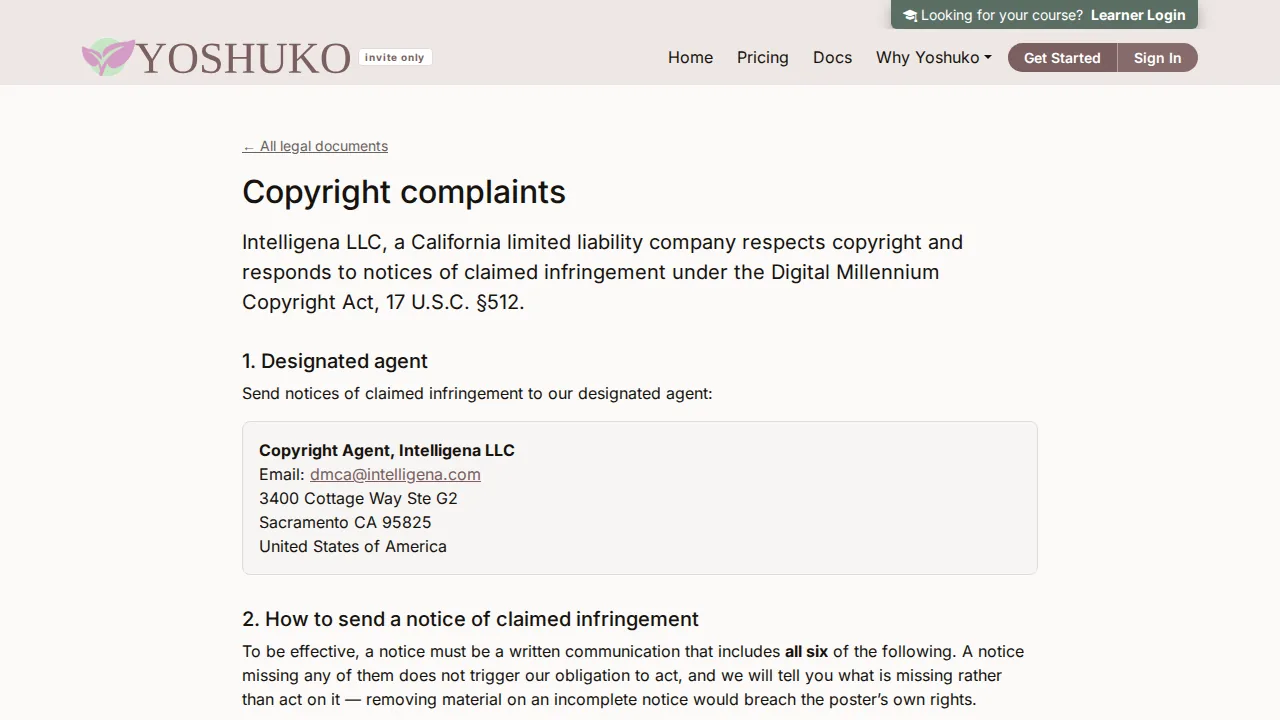
On the legal index, press File a copyright complaint.
-
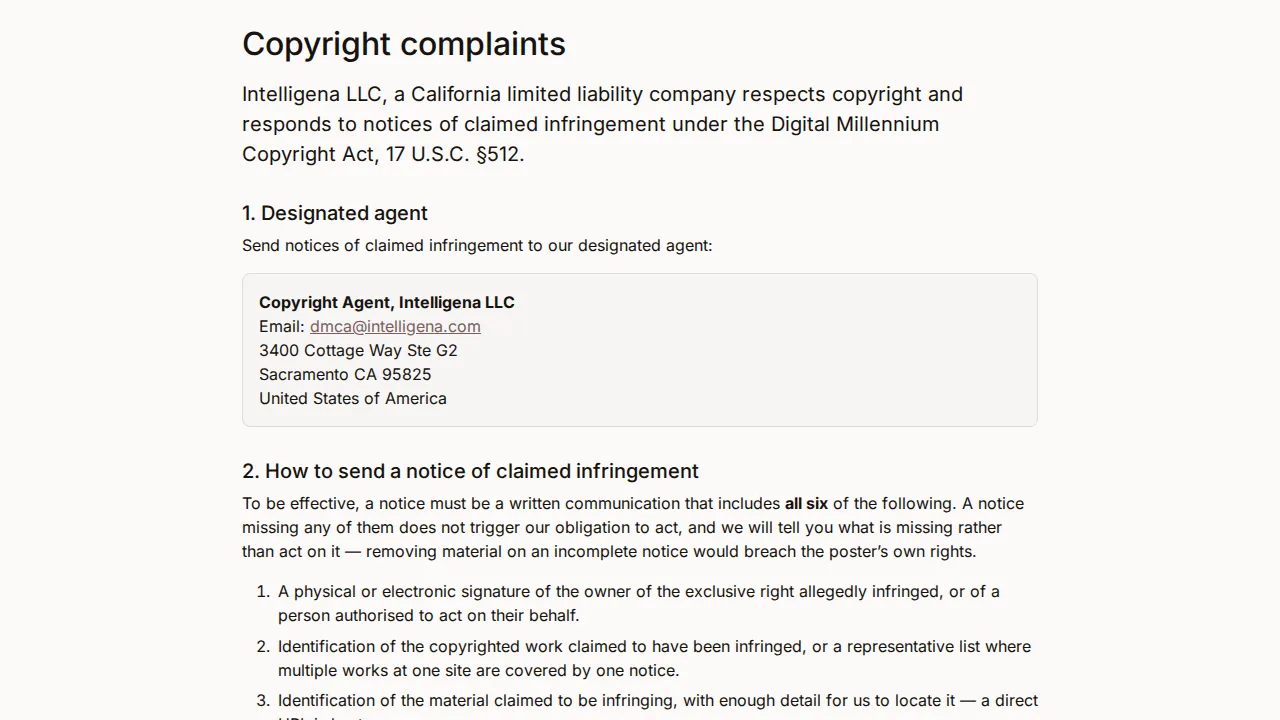
Read the page. It names Yoshuko's designated agent for copyright notices and explains what a notice must contain and what happens to it.
-
Fill in the form. For a copyright notice these are required:
- You are — I own the rights in the work or I am authorised to act for the rights owner.
- Your full legal name, Email address, Telephone number and Postal address. If the person who posted the material files a counter-notice, your name and address are given to them — the law requires it.
- The work you say has been infringed — a title, a web address where the original can be seen, or a registration number.
- Where the material is on this site — one full web address per line.
-
Tick both statements — the good-faith statement and the statement that the notice is accurate, made under penalty of perjury — and Type your full name as your electronic signature.
-
Press Submit this notice.
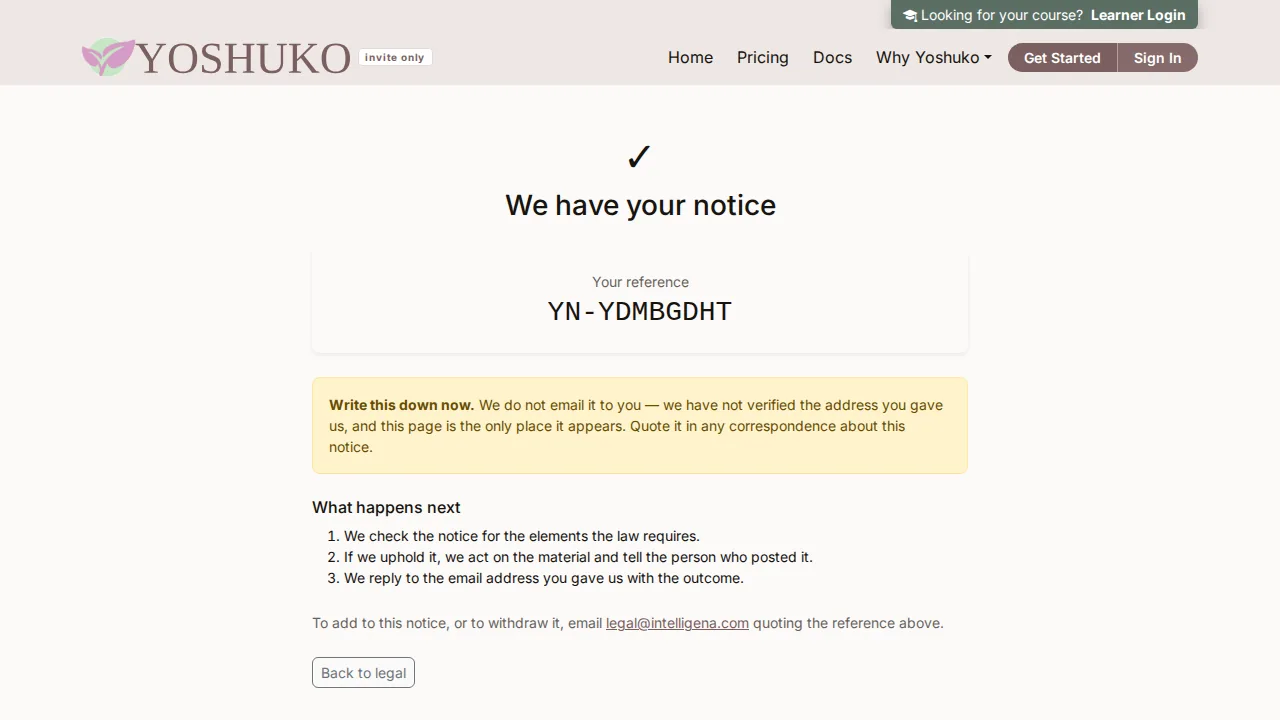
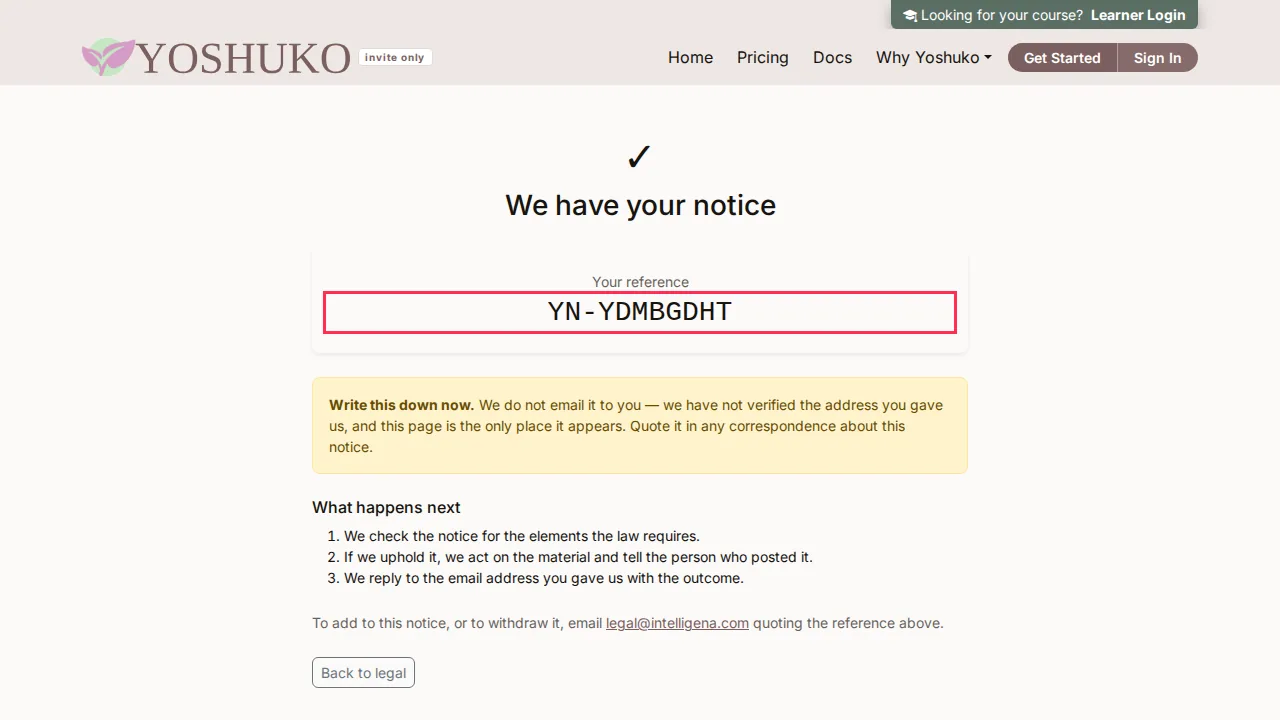
Write down Your reference from the next page — it isn't emailed to you. To add to the notice or withdraw it, email the legal address shown on that page, quoting the reference.
Answer a copyright complaint with a counter-notice
If your material was removed after a copyright complaint and you believe that was a mistake or a misidentification, you can file a counter-notice. When we act on a complaint against your material, we email you its reference and a link to the counter-notice form for that complaint. Open the form from that email: each form belongs to one complaint and shows its reference. The Legal page's Your material was removed card explains the process if you can't find the email.
Read this before you file
The form spells out what filing means, including:
- Your name and postal address are given to the person who complained. You can't file anonymously.
- You consent to the jurisdiction of a US federal district court and to accept service of legal papers from the complainant.
- A false statement is perjury, and you can be liable for damages.
- The complainant may sue you. If they don't tell Yoshuko within the number of business days stated on the form that they have gone to court, the material may be restored.
If you are not sure, take legal advice first. If you only want the decision looked at again, reply to the email we sent you instead — that is an appeal, and it carries none of the above.
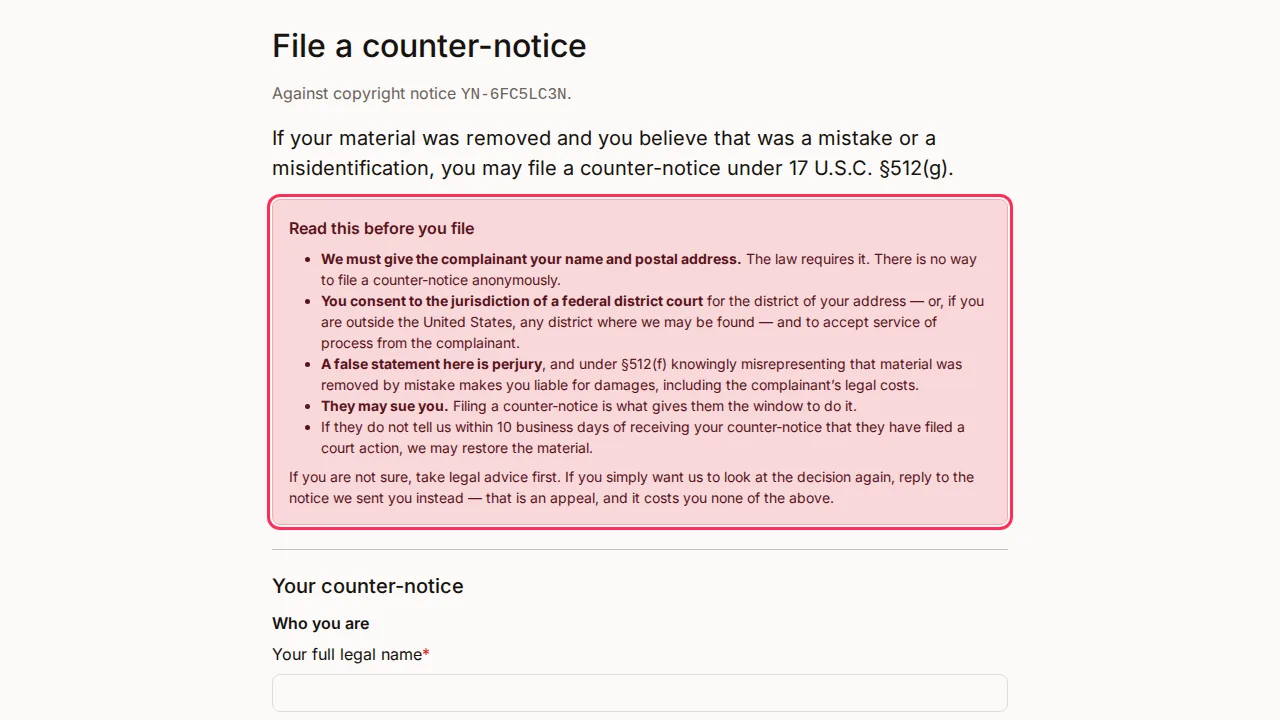
- Fill in Your full legal name, Email address, Telephone number, Postal address and What was removed, and where it was. You can add Why you believe the removal was a mistake.
- Tick the good-faith statement (made under penalty of perjury) and the consent to federal jurisdiction. Both are required.
- Type your full name as your electronic signature.
- Press File this counter-notice. You are given a reference.
Know what you may publish, and what happens if you break the rules
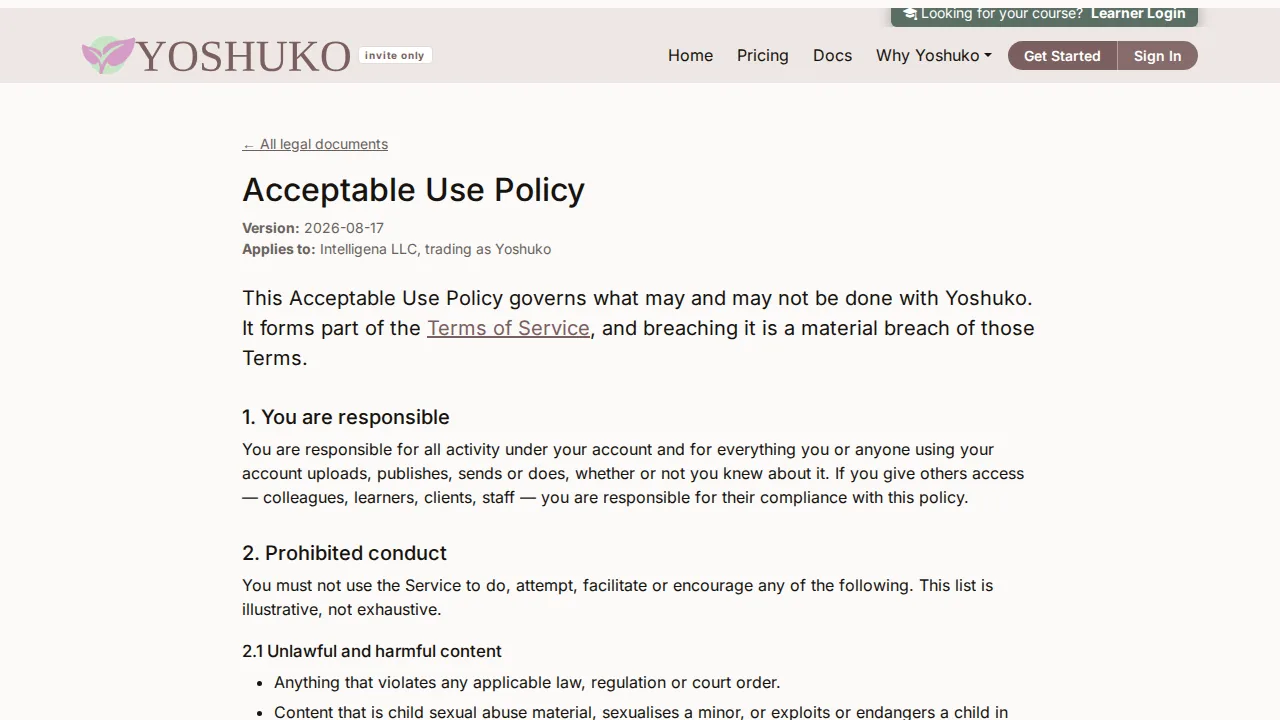
The Acceptable Use Policy — linked from the Terms of Service — lists what may not be published or done on Yoshuko and what can happen when it is. Two sections are worth knowing:
-
4. Repeat infringers — an account with three upheld copyright complaints within twelve months is closed. Each strike expires after twelve months, and is withdrawn if the complaint is retracted or successfully counter-noticed.
-
5. Appealing a decision — if content was removed, a feature restricted or your account suspended and you think that was wrong, write to the legal address within 30 days, quoting any reference you were given and saying why. For copyright removals, the counter-notice is the route that can get material restored.
If something goes wrong
| You see | What it means | What to do |
|---|---|---|
| We cannot act on this notice unless you make this statement. | A required statement isn't ticked. | Tick it and submit again. |
| Give at least one URL identifying the material. | Where the material is on this site is empty. | Add at least one full web address. |
| A copyright notice must include your postal address. (or telephone number) | Copyright notices need both. | Fill in the missing field. |
| We could not record that just now. Please try again. | Your agreement to updated terms wasn't saved. | Press I agree to the updated terms again. |
| Remind me next time isn't there | You've already put this update off once. | Agree, or close the page (see above). |