Your certificate
When a creator offers certificates on a course, you earn one by finishing it. It appears on the course's Completion page, ready to download.
Before you start
- The creator has turned certificates on for the course. Not every course has one.
- To earn it, you complete every lesson on the course.
See how close you are
- Open the course, open the course menu (Show the course menu) and press Completion.
- The Certificate of completion card says how far you have to go — for example You're 20% away. Finish this course to earn your certificate.
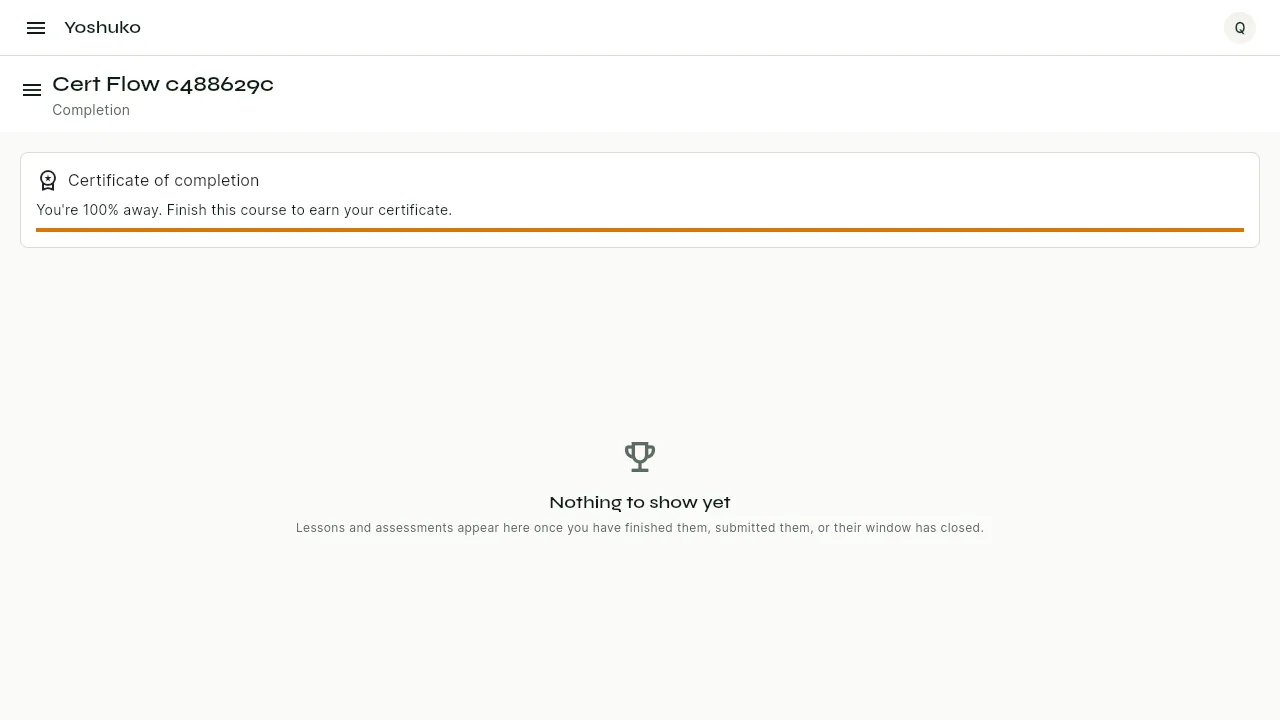
My Courses also counts down the lessons left, such as 2 lessons until your certificate.
Download your certificate
- Finish the course. You finished the course! opens — press See my course record.
- On Completion, the Certificate of completion card now reads You completed [course]. Certificate no. [number].
- Press Download PDF. The certificate opens as a PDF you can save or print.
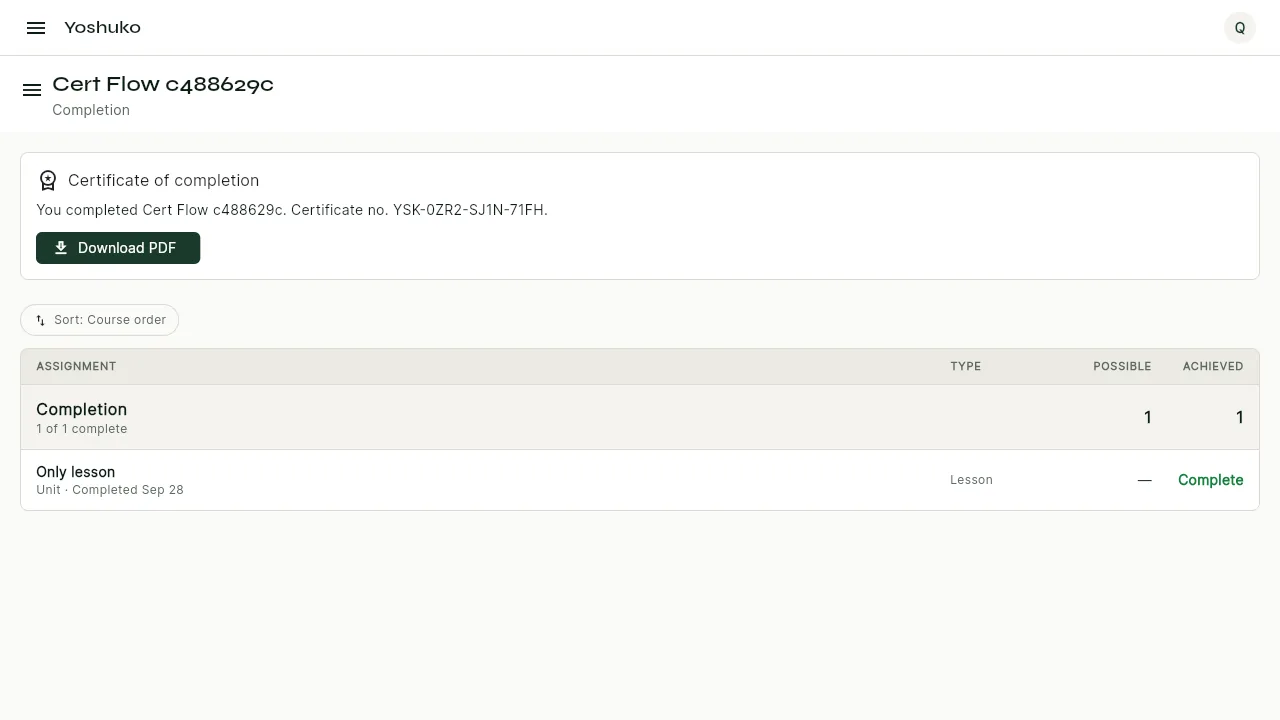
The certificate number lets anyone check that your certificate is genuine. How verification works is explained in Certificates, for creators.
If something goes wrong
| You see | What it means | What to do |
|---|---|---|
| Your certificate is being prepared and will appear here shortly. | You have finished, and the certificate is being made | Come back in a little while. |
| Your certificate could not be loaded just now. | The card could not load | Press Try again. |
| Certificate withdrawn | The creator withdrew the certificate | Contact the creator if you need to know why. |
| No certificate card at all | The course does not offer a certificate | Nothing to do — ask the creator if you expected one. |